
Uploading tenders on the Government e-Marketplace (GeM) portal can open doors to huge business opportunities. From small manufacturers to large suppliers, thousands of sellers use GeM to participate in government procurement.
However, uploading a tender on the platform is not always straightforward. A single mistake in documentation, pricing, or specifications can lead to rejection and loss of potential contracts.
In this blog, we will provide a step-by-step guide to uploading tenders on the GeM portal successfully. You will also learn about the common mistakes sellers make, tips to improve tender visibility, and how GEMTech Paras can simplify the entire process for you.
If your goal is to increase approval rates and secure more government contracts, this guide will walk you through everything you need to know.
Step-by-Step Process to Upload a Tender on GeM Portal
Uploading a tender on the GeM portal is more than just filling a form. It requires careful preparation, accurate documentation, and strict compliance with GeM guidelines. Below is a comprehensive, step-by-step guide to ensure your tender is uploaded smoothly and successfully.
Step 1: Log in to Your GeM Seller Dashboard
- Go to the GeM official website.
- Click on “Login” and enter your registered credentials.
- Use the OTP verification if prompted for security purposes.
- Make sure your seller profile is complete and verified before proceeding. Incomplete profiles can restrict your access to the tender upload section.
Pro Tip: If your seller account is pending verification, GEMTech Paras can assist in completing your profile quickly.

Step 2: Access the “Upload Tender” Section
- Once logged in, navigate to the “My Tenders” tab in your seller dashboard.
- Click on “Upload Tender” to create a new tender entry.
- Carefully read any instructions or guidelines displayed before proceeding.
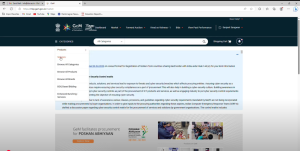
Step 3: Select the Correct Product or Service Category
- Proper category mapping is crucial for visibility and approval.
- Use GeM’s advanced search filters to identify the exact category that matches your product or service
- Avoid selecting a broader or unrelated category. Incorrect mapping often leads to low visibility or outright rejection.

Example: If you are supplying LED street lights, select the LED-based street lighting category, not just electrical products.
Step 4: Fill Out Tender Details Accurately
This is one of the most critical steps in the entire process. Enter precise and complete information to avoid tender rejections:
Details You Need to Provide:
- Tender Title & Description: Be clear, concise, and accurate.
- Delivery Timeline: Specify realistic timelines buyers can rely on.
- Quantity & Unit of Measurement: Match catalog details precisely.
- Technical Specifications: Use correct dimensions, standards, and certifications.
- Estimated Contract Value: Align with GeM norms to maintain compliance.
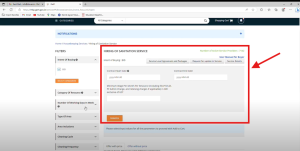
Tip: Consistency is key. Ensure that all tender details exactly match the information in your uploaded documents and catalogs.
Step 5: Upload Mandatory Supporting Documents
GeM requires specific documents for verification and compliance. Prepare them before starting the upload process:
Commonly Required Documents:
- Technical datasheets and specifications
- Compliance and quality certificates (e.g., ISO, BIS)
- Product brochures and images
- Manufacturer authorizations (if applicable)
- GST, PAN, and company registration documents
- Additional Terms & Conditions (ATCs) as required
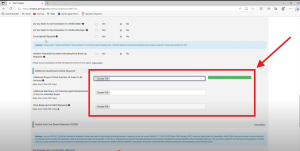
Best Practices:
- Always use the latest GeM-approved formats.
- Ensure filenames are clear and relevant.
- Double-check file size and format requirements to prevent upload failures.
Step 6: Set Accurate Pricing and Payment Terms
Pricing plays a huge role in the tender approval process. GeM expects transparent, competitive, and compliant pricing:
- Research current market trends before quoting your price.
- Avoid underpricing as it can raise red flags.
- Include all applicable taxes in the final price.
- Specify payment terms that comply with GeM norms.
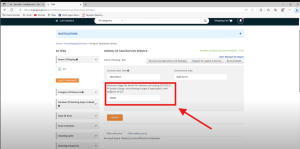
Expert Advice: GEMTech Paras helps sellers set optimized pricing that balances competitiveness and profitability.
Step 7: Review, Validate, and Submit
Before final submission, do a comprehensive review of your entire tender entry:
- Cross-check tender details, documents, and specifications.
- Validate compliance with buyer requirements.
- Use the GeM preview option to see how your tender will appear to buyers.
- Once confident, click Submit.
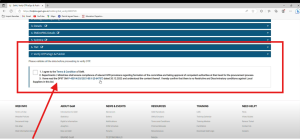
After submission, you’ll receive a tender reference number for tracking purposes.
Pro Insights from GEMTech Paras
Uploading tenders manually can be time-consuming and prone to errors. At GEMTech Paras, we:
- Handle the entire upload process for you
- Ensure category mapping is accurate
- Validate technical specifications and documents
- Optimize your tender to improve approval rates
- Provide real-time assistance during tender submissions
This reduces rejection chances and saves you valuable time.
Why Tender Uploads Get Rejected on GeM
Before learning how to upload tenders, it is important to understand why many sellers face rejections. Knowing these challenges will help you avoid costly errors:
- Incomplete or incorrect documents
Missing technical specifications, GST certificates, or compliance documents often lead to instant rejection. - Wrong product or service category
Incorrect category mapping makes it difficult for buyers to find your tender and can result in disqualification. - Non-compliance with technical specifications
Even a minor mismatch in product details can cause the tender to be discarded. - Outdated formats or missing templates
GeM has specific requirements for document formats. Submitting outdated or invalid files can delay approval. - Errors in pricing and payment terms
Quoting incorrect prices or ignoring GeM’s pricing rules often leads to rejection.
Pro Tip: Sellers working with GEMTech Paras avoid these issues entirely. Our experts ensure every document, specification, and pricing detail is reviewed thoroughly before uploading tenders on the GeM portal.
Pre-Submission Checklist for Tender Uploads on GeM
Once you have filled in all the tender details and uploaded the documents, it is critical to run through a final checklist before clicking Submit. Even a small mistake can cause delays, tender rejection, or reduced visibility.
Here’s a comprehensive checklist to ensure your tender is accurate, compliant, and optimized for success:
A. Validate Tender Details
- Tender Title & Description: Ensure they are clear, specific, and aligned with your product or service offering. Avoid vague or misleading titles.
Quantity & Unit: Double-check that the quantity matches your catalog data and buyer requirements. - Technical Specifications: Confirm that specifications exactly match those mentioned in your datasheets and brochures.
- Delivery Timelines: Verify that your delivery schedule is realistic and complies with buyer expectations.
B. Verify Mandatory Documents
- Make sure you’ve uploaded all GeM-required documents in the latest approved formats:
- GST certificate and PAN card
- Company registration or incorporation certificate
- Technical datasheets and compliance reports
- Quality certifications like ISO, BIS, or CE (if required)
- Product brochures, drawings, or images
- Additional Terms & Conditions (ATCs) if requested
Pro Tip: Missing or outdated documents are among the top reasons tenders get rejected. GEMTech Paras ensures all your documents are reviewed and formatted correctly before submission.
C. Check Pricing and Payment Terms
- Confirm that the quoted prices comply with GeM guidelines and include all applicable taxes.
- Ensure there are no pricing mismatches between uploaded documents and the tender entry.
- Set payment terms as per GeM-approved conditions to avoid conflicts during evaluation.
D. Validate Category Mapping
- Make sure the product or service category is correctly mapped for better tender discoverability.
- Incorrect mapping reduces visibility and increases rejection chances.
- GEMTech Paras uses advanced GeM analytics to select the most optimized categories for your tender.
E. Review Buyer-Specific Conditions
Some tenders include Additional Terms and Conditions (ATCs) or special eligibility requirements:
- Check for buyer-specific compliance requests.
- Ensure you’ve attached additional certificates if required.
- Verify eligibility criteria like MSME benefits or turnover requirements.
F. Perform a Final Cross-Check
- Use the GeM preview option to see how your tender appears to buyers.
- Re-read all details to ensure accuracy and consistency.
- Confirm there are no missing attachments.
- Save a backup copy of your uploaded documents for future reference.
How GEMTech Paras Simplifies Tender Uploads
At GEMTech Paras, we specialize in making tender uploads faster, easier, and error-free. Our team understands every detail of the GeM ecosystem and provides end-to-end assistance for sellers.
Our Expertise Includes:
- End-to-End Tender Upload Management
From filling tender details to final submission, we handle everything. - Document Preparation and Validation
We ensure all documents are compliant, formatted, and up to date before uploading. - Optimized Category Mapping
We use advanced analytics to identify the most relevant product or service categories, improving visibility and approval chances. - Pricing Strategy Support
Our experts help you set competitive yet profitable pricing based on GeM trends and buyer behavior. - Compliance and Quality Checks
Every tender undergoes multiple validation checks to eliminate rejection risks. - Live Assistance During Uploads
If you prefer to manage uploads yourself, we guide you step by step to ensure accuracy.
Why Choose GEMTech Paras
- 99% tender approval success rate
- Dedicated GeM experts with years of experience
- Tailored solutions for MSMEs, startups, and enterprises
- Faster turnaround with minimal errors
- Proven strategies to maximize your tender visibility
Tender uploads should not cost you time, effort, or missed opportunities. Let GEMTech Paras handle the process for you while you focus on growing your business.
Conclusion
Uploading a tender on the GeM portal can unlock significant business opportunities if done correctly. However, missing documents, incorrect details, wrong categories, or pricing errors can easily lead to rejection. That is why having an expert partner makes a huge difference.
GEMTech Paras specializes in end-to-end tender management — from document preparation and category mapping to optimized pricing and flawless uploads. Our experts ensure your tenders are compliant, competitive, and highly visible to maximize your chances of approval and success.
Avoid costly mistakes and missed opportunities. Partner with GEMTech Paras today and make your GeM tender uploads smooth, error-free, and successful.
Frequently Asked Questions (FAQs)
1. How do I upload a tender on the GeM portal?
You need to log in to your seller dashboard, go to the “My Tenders” section, select “Upload Tender”, fill in the required details, attach documents, set pricing, and submit.
2. What documents are required to upload a tender on GeM?
Common documents include GST certificate, PAN, company registration, product datasheets, technical specifications, compliance certificates, and ATCs if applicable.
3. How do I choose the correct product or service category?
Use GeM’s advanced filters to select the most relevant category. Incorrect mapping reduces visibility and approval chances.
4. Why do GeM tenders get rejected?
Top reasons include incomplete documents, incorrect pricing, wrong category selection, outdated formats, and failure to meet ATCs.
5. Can I edit a tender after submitting it?
No. Once submitted, you cannot edit an uploaded tender. It’s important to review all details carefully before final submission.
6. How does pricing affect tender approval?
Pricing that is too high or unrealistically low can trigger rejection. Always align your pricing with GeM-approved ranges and include applicable taxes.
7. Is there a way to improve my tender’s visibility?
Yes. Accurate category mapping, optimized product catalogs, competitive pricing, and using keyword-rich descriptions improve visibility.
8. Does GEMTech Paras help with tender uploads?
Absolutely. We handle document preparation, compliance checks, optimized pricing, and flawless uploads to improve approval rates.
9. How long does it take for a tender to get approved?
Approval timelines vary but are generally quicker if your tender is compliant and error-free. GEMTech Paras ensures faster processing.
10. How can I increase my chances of winning tenders?
Submit complete, compliant, and competitive tenders, leverage MSME benefits, and keep your catalog updated. Working with GEMTech Paras significantly boosts your success rate.